October 9, 2025: Review: Apple’s 2025 MacBook Pro lineup includes three main models powered by the M4, M4 Pro, and M4 Max chips. I have spent time with all three, and each one clearly targets a different kind of user. Let’s break it down.
While the design of the MacBook Pro 2025 series hasn’t changed dramatically, what’s inside makes all the difference. Apple’s new M4 chips aren’t just faster, they’re smarter about how they use power, memory, and graphics. That means smoother multitasking, better battery life, and fewer slowdowns, even when juggling demanding apps. But not every user needs the top-tier model. The real question is: which one fits your daily grind without overspending or underperforming?
Models & Who They’re For
| Model | Best For | Why It Works Well |
|---|---|---|
| MacBook Pro M4 (14″) | Students, writers, office users | Lightweight, long battery life, handles daily tasks smoothly |
| MacBook Pro M4 Pro (14″/16″) | Designers, coders, multitaskers | Faster chip, better graphics, more RAM options |
| MacBook Pro M4 Max (16″) | Video editors, 3D artists, engineers | Handles large files, heavy rendering, multiple apps at once |
Real-World Use Case
Case 1: A freelance writer Uses the 14″ M4 model. It’s quiet, portable, and lasts all day. No lag while writing, browsing, or attending video calls.
Case 2: A UI/UX designer Switched to the 14″ M4 Pro. The extra GPU and RAM make Figma, Photoshop, and multitasking smooth. External monitor support is a plus.
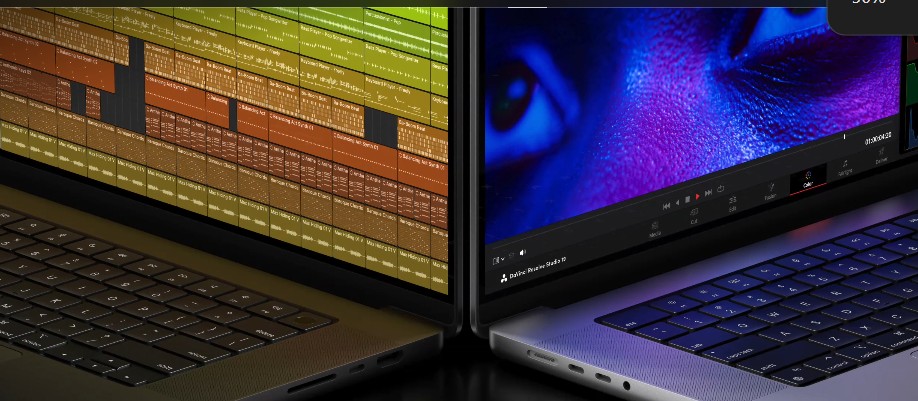
Case 3: A film editor Works on the 16″ M4 Max. Handles 8K video timelines without stutter. Export times are fast, and the display is sharp enough for color grading.
MacBook Pro 2025: A Practical Guide to Choosing the Right Model
- Go for M4 (14″) if you want a reliable laptop for everyday tasks and portability.
- Choose M4 Pro (14″/16″) if you need more speed and graphics power but don’t want to go overboard.
- Pick M4 Max (16″) only if your work involves demanding creative or technical workflows.
The MacBook Pro 2025 series doesn’t try to be one-size-fits-all, and that’s a good thing. Whether you’re a student juggling assignments, a designer refining visuals, or a creator pushing pixels and frames, there’s a model that fits your workflow without overcomplicating the choice.
After testing each one, it’s clear Apple has built this lineup with purpose: performance where it matters, and simplicity where it counts. Choose based on what you do, not what sounds impressive.